Friday, 31 October 2014

Get Quick Access to Most-Used Apps on your Android Phone

 How Get Quick Access to Recentlly-Used Apps on your Android Mobile Phone


You probably have many Android apps installed on your phone but the number of apps that you may be using on a regular basis is likely to be small. A recent Nielsen report says that the average number of apps used by phone owners is just around 26 per month. Another Comscore report suggests that people tend to cling to a few apps they like and that nearly three of every four minutes spent using apps was in any of four preferred apps.

Now what is the best way to arrange your favorite apps on the home screen so that the apps you use most often are easily accessible? You can of course arrange apps manually or put them in the dock area but wouldn’t it be nice if the phone itself were smart enough to dynamically arrange apps on the home screen based on your own usage. There are apps that can help.

Nokia, the company behind the Lumia series of Windows Phones, has created Z Launcher, a must-have Android app that helps you find anything faster on your phone be it apps, contacts or even websites. It places you most used apps on the home screen while everything else is just a scribble away. You also have the option of pinning apps to the dock area just like your standard Android launcher.
Then there’s Bar Launcher, a free Android app that will help you place shortcuts to your favorite apps in the notification area of your phone (or tablet). The big advantage with this approach is that you will be able to launch apps from any area of your phone with a simple swipe from top to bottom. There’s no longer a need to close the currently open app to launch another one – you can just open the notification drawer and tap to open.
I would also recommend Hangar. This is an open-source app that monitors how you use apps and places the ones you use most frequently on the home screen. Unlike the Z-launcher app, Hanger is a widget that you can place anywhere on the home screen and because it is resizable, the widget can display one or more rows of your most-used apps. You can also pin the most important apps in the widget or blacklist the ones that you would never like to show up on the home screen.

Sunday, 12 October 2014

Top Factors That Determines Google Page Rank

Top Factors That Determines Google Page Rank


top google ranking factors
PageRank shows the trust of Google on your site. PageRank of a site defines the position of the page in search engine result for particular keyword. Google doesn’t yet disclosed the factors on which they rank websites but these are the some experimented method which can help you to increase PageRank of your website.

1. Link Building

Link building is the process of making links to your blog from other blogs. This is very crucial for PageRank because when Google crawl other reputed sites and find your URL then it will add you to their list. No of links is also important but not as the quality of links. It is better to get 10 high quality backlinks than 100 low-quality backlinks. There are some points in link building which I think you should consider while building links.

READ MORE: 100+ Blogging Community To Build Quality Backlinks

       1. Maintain Do-Follow and No-Follow Ratio
             As we all know that do-follow links were counted for PageRank but if you will only making Do-follow backlinks then Google will penalize you by decreasing your PageRank. You can comments on other reputed blogs to your niche to get no-follow backlinks.

       2. Build Backlinks Relevant To Your Niche
              Building Links here and there will leave a bad impact on you web reputation and can also be responsible for banning your domain. The only way to avoid this is build links with high PR blogs which are related to your niche, no matter do-follow or no-follow.

READ MORE: Drive Traffic From Social Media

2. Publishing Frequency

Regular posting is a good way to impress search engines and also many other ranking companies link alexa.com. Posting frequency totally depends upon your abilities. You can post 2-3 post per day or 1 post per day or 1 post per 2 day or even 2 post week but keep in mind that you should not deflect with your posting frequency. Regular posting is also the shortest and most genuine way to become popular over internet. If you publish post on certain interval of time regularly then the chances to be crawled by search engine increases with very large amount. It also help you to convert visitors to your loyal readers.

READ MORE: Use Google Analytics For Detailed Traffic Report

3. Internal Linking

Internal Linking is the most powerful mechanism which not only increases the PageRank ability of you blog but also increases the no of pageviews on your blog. By linking your site internally with relative articles you can make visitors stay on your sit for long time and will also decrease bounce rate of your blog. Google loves the site which uses the internal linking to keep crawler busy on their site. It will also skyrocket the chances of crawling speed of you site. If your site have many links internally connected then whenever Google comes to your site it will go to all your links will leads to better indexing.

READ MORE: 5 Magical Ways To Increase Alexa Rankings

4. External Linking

External linking is also as important as internal linking. If you are writing a tutorial then you can link other sources for other information about a specific topic like I can link to Wikipedia for “What areExternal Links”. Linking sites externally will not decrease your ranking, traffic and anything else at all. If you will link a site for a detailed report externally then site will be given priority on that particular keyword if your rankings are nearly equal to that site. And always use “rel=nofollow” to external link to minimize the bounce of search engine from your site.

These are the basic factors on which PageRank depends. You should work on then one by one to increase your trust rank or say Google Page Rank.

How To Optimize Images For Better Search Engine Rankings

How To Optimize Images For Better Search Engine Rankings


Optimizing images For Better Search Engine Rankings
 Do you want your site to be fully optimized ? Then you will have to work hared for every corner of your blog. Optimizing Images is one of them. Many thinks that they will put a beautiful and attractive image and all ready. But let me tell you that uploading image is not the all you will have to do. You will have do some other small things with your image to not only grab the attention of you Readers but also the search engine spiders. Performance of your image is solely  depended on your efforts. You can do below mentioned things to climb one step on SEO ladder.
READ MORE: Some Best Off page Optimization Tips

Adding ALT Tag

ALT or “Alternate Text” tag provide some useful description about the image. Sometimes when our readers are using any Text Browser then this text is displayed to the user in place of image and he or she can understand by the help of text displayed that there is image. Not only the readers but also the web crawlers uses this tag to store some data with image uploaded. If you are going to use ALT tag with your images then there is no need to use Title tag. You can use both at a time but is is not necessary.
READ MORE: Use Social Media To Drive Traffic 

Adding Title Tag

As search engines can not see your images, they can not judge where to place your image in their huge directory. And this can be a big hole in your SEO. Title Tag can solve your problem. By adding title tag to your every image you can tell search engine robots to place your image in relative category. If your images will be fully optimized then they can also drive handsome traffic from Google Image Search or Bing Image Search.
READ MORE: Post Optimization For Blogger Blogs

Using Compressed Images

Compressed images are ideal in every aspect weather it is User Experience or Robots Attention. Every wise web designer of blogger are using compressed images just because to reduce page loading time.If you are using compressed image then your page loading time will be reduced by 20%-30%, which is big difference. Page loading time is a big factor for SEO. Fast and clean sites were given priority in Search Engine Result Page. So using Compressed Images can be a golden step for you.
READ MORE: SEO Plugins For Wordpress

Try to Use Your Own Images

Here own images means, use own created image instead of using other’s image. If you are using images which are already uploaded on internet then there will be very little chance that your image will get good ranking. Recently Harsh Aggarwal (ShoutMeLoud) declared that his traffic from Image Search has been increased by using Own crafted Images. You don’t have to be expert in image editing, you can combine some images together or you can also put text on images to create your own design.
READ MORE: 5 Tips To Increase Alexa Rank

Final Words

Optimizing Images can not be done by editing theme file, it is done at the time of writing your post. These above list of useful suggestion can be applied on every type of blog either it is Blogger or Wordpress or any other, doesn’t matter. If you are facing any problems tweaking your SEO then you can ask me in comments.

Off Page Optimization Tips To Maximize Your Traffic

Off Page Optimization Tips To Maximize Your Traffic


These days i am only publishing articles on increasing traffic and various ranks because i have also started this blog few weeks ago and those methods helped me a lot to gain some reasonable amount of traffic. I previously have shared about Driving Traffic Through Social Media and Blog Post Optimization Tips For Blogger Blogs but this time i am going to share some Off page optimization tips which can change your SERP rank and even drive some traffic to you. Let me first tell you what is Off page optimization.

What Is Off Page Optimization

Off page optimization refers to the factors that have some effect on your webpage including SERP Ranking, Page Rank, Domain Authority and many others. These factors are off page these are not controlled by us by coding of doing other things in our site. Off page means instead of tweaking your website, you will have to share your content on social media and build backlinks to increase your site performance.
Here are some  methods which can help you to do some off page optimization for your blog.

Some Of The Best Methods For Off Page Optimization

1. Join Blogging Community

Blogging community are a great place to build active readership. Interacting with other bloggers will polish your blogging skills and also drive some webmaster’s traffic. You can join as much community as you want but there is no means of joining 100’s of communities because you could not manage to get so much time to be updated on all community. So joining 2-3 communities is good enough for you.
READ MORE: 100+ Free Blogging Community To Join

2. Engage With Your Fans and Followers

Don’t make your followers feel that you are lazy, Because nobody wants to follow a lazy guy. So keep sharing something new and interesting with your Fans and Followers on regular basis. This will skyrocket your reputation among fans and followers and if you will have a good reputation among your followers than they will never miss any update from you. And this will turn your fans into you daily readers.
READ MORE: Drive Traffic From Social Networking Sites

3. Build Quality Links To Your Site

When it comes to link building many people think that they can gain links by placing there links here and there but let me tell you Google strictly hates this. Google says that if you are found spamming in communities then your whole domain can be blocked from being search and you will be blacklisted in Google. To avoid being banning by Google you can follow these guidelines:-
  1. Get backlinks only from those websites which having Good Domain Authority, Good Page Rank and Good Page Authority.
  2. Only try to generate backlink with those blogs which are related to your Niche.
  3. Use mozRank to determine the popularity of website, even Alexa Rank is good but due to easy manipulation of alexa many people don’t trust alexa.

4. Make Some Guest Posts

Guest posting is very old technique but still very effective in bringing traffic from other blogs. Guest posts are just like a bonus for you, when you will publish a guest post on other website having good rank, and high flow of traffic then some of the reader must come to see your blog and if they find your blog effective then they will bookmark your page going to check it again and again. But before making any guest post you should first check these things:-
      1. Reputation of blog
           Checking rank before thinking of guest post is very important because if you will publish your post on a low reputation blog having very handful traffic then you will not get any benefit from that post. So it is strongly recommended to check the reputation of the blog. You can use mozRank, Page Rank, Alexa Rank, Domain Authority and Page Authority to judge the reputation of a page.
     2. Niche of blog.
        Posting in blogs other than your niche can be a big issue for you blog. If you are planning a guest post then first find a good reputed blog in your niche and then publish your post.

Final Words

So, now you know most of the effective techniques which can optimize your blog. As i always say, you can not rank high only by off page optimization, you will also have to do some on-page optimization to your blog. Very thanks for staying and reading this articles. Let me know if i missed any thing here. Thank You. Keep Blogging.

5 Best Responsive Blogger Templates Of 2014

5 Best Responsive Blogger Templates Of 2014


5-best-responsive-blogger-template
Another good thing for blogger lovers. We are going to show the list of all the famous responsive blogger templates. Those templates are complete responsive and fully optimized for search engine.
NOTE:- Some of the templates are premium which you can buy if you want to use them with your blog.


BMAG Premium Responsive Blogger Template

BMAG-responsive-blogger-template 

DEMO | BUY
BMAG is a Magazine Responsive Blogger Template, it is clean and compatible with many devices, It’s perfect for creating your magazine or blog using blogspot, no need to coding as it is very customizable template.

DECO Mag Premium Responsive Blogger Template

DECO-responsive-blogger-template
  DEMO | BUY
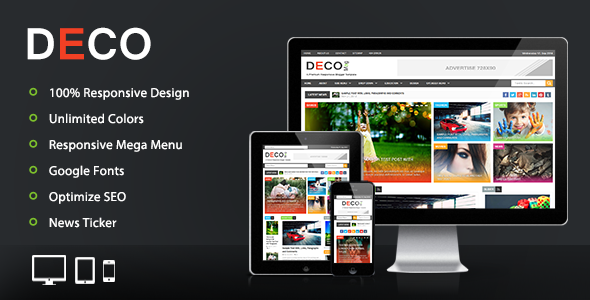
Deco mag blogger template is a another beautiful modern blogger template. its clean and fresh flat color based responsive blogger design and high user friendly blogger template.This theme perfect for news, magazine and personal websites.

Awesome Mag Responsive Blogger Template

Awesome responsive-blogger-template

Awesome Mag Blogger Template is fully responsive theme that comes with features that are never seen before in a BlogSpot blogger template. It has a unique fluid design concept with robust elements, which make it a complete package of theme that could be converted into any niche site or blog. It is a 3 column template that can be customized into a portfolio, magazine, personal blog, products, list based sites and etc. It is optimized for both on-page and off-page SEO that gives enough flexibility to rank your post higher in the search engine results, and allows to index your posts 99% faster than the rest of the Blogger templates available on the internet.

Layla Responsive Blogger Template

layla-responsive-blogger-template
Layla is a blogger template that has clean and professional design suitable for any niche. It’s created using the latest HTML5 and CSS3 techniques. With a responsive design it will easily fit on any device screen and it comes in boxed and wide layout!

Personal Mag Responsive Blogger Template

personal-mag-responsive-blogger-template
Personal Mag - is a clean responsive Blogger blog theme. Personal Mag is idealy design for gallery, modern, personal and professional blogs that spreads news and stories accorss the web. It is totally responsive so it takes shape of your device as you count one, two and three. It has some of the high quality features that makes it quite extraordinary blogger template. It has many custom widgets like Google Maps, Brand logo slider, featured ad spots, social share counters, related posts and more. 
 

Final Words

 Some of the templates are premium so if you want to use them then you will have to buy them. One documentation will also be provided to you if you will buy a premium theme. BTW let me know which one you are going to use in your blog.

How To Drive Traffic To Your Blog Using Social Media

How To Drive Traffic To Your Blog Using Social Media


Driving Social Media Traffic To Blog

Traffic is the most important thing a blog needs to run smoothly but its not so easy.  If you don’t have traffic then there is no means of producing Quality Contents at all because no one is there to read your article. Many blogger get demotivated and ditch blogging just because of lack of traffic. But you can optimize your blog for search engine to attract search engine traffic. I already had shared many articles to optimize your blog for Search Engine. First you should read them.
Now the question arises how we can drive more healthy traffic to our blog. This is what i am going to share in this article. Today i am going to share some of the best social media technique which can help you to increase your traffic by 70%-80%, which means a lot.
READ MORE: 5 Ways To Increase Alexa Rank

Driving Social Media Traffic

Driving traffic from social media is quite easier than other methods like blog commenting, back link building. You just have to send regular update to your social media followers. There are various social networking sites like Facebook, Twitter, Pinterest, Google + and many others which can drive huge amount of traffic to you.

Driving Traffic From Facebook

I don’t need to tell you how huge is the network of facebook. There are several billion people on facebook who are active. I think you must know, How to create a Fan page. Create a fan page and invite your friends to like you page and after that and start sharing your blog updates in your fan page. Being regular on your fan page can increase your fan page likes also. So always try to share something new with your audience.

Driving Traffic From Twitter

Getting followers in twitter is a bit harder than getting likes on facebook. But try to get more followers because the more follower you have, more your tweet will be seen and hence more traffic you will receive. The all thing you have to do is just create a Twitter account with you blog name and address and start twitting and also ask you friends to re-twit you article.

Driving Traffic From Google +

Google + also follows the same rule like twitter. You have to collect followers first, then your post will be shown to you followers. But in Google + you can create a page and share you blog posts on that page. Blogger users can share post automatically to their Google + profile or page after they publishing post.

Driving Traffic From Pinterest

Pinterest is becoming a site where peoples can read the articles of their choice. But for sharing your articles in pinterest first you have to create a Board for your blog, this will make people follow your board easily. If your board have some good keywords then it can also be shown in search engine result page.
READ MORE: Submit Yoour Sitemap To Google

Final Words

Sharing you posts on social media regularly is a good habit. This can increase you traffic and social media reputation also. Here i am showing the 4 major search engine only because there are more than 1000 search engine and writing about all his is not possible. There for can also increase your traffic by a large amount. So be regular and updated to search engine.

Top Post Optimization Tips For Blogger Blogs

Top Post Optimization Tips For Blogger Blogs


Setting Permalinks In Blogger
Blogger blogs have been always first choice of every newbie and also some experienced bloggers. But when it comes to the SEO optimization, Bloggers blogs slide down to second position because WordPress blogs are found to be best for SEO optimization. It allows you to do all the SEO tweaks like Post Description, Post Meta and many other things. But we here are talking about Blogger blogs and its Optimization Techniques.
READ MORE: Proved Tricks To Increase Alexa Rank Quickly

Limitation In Blogger Blogs

As  i have said earlier, it is best to start with Blogger.com but when you want a blog that generate some revenue, then you will have 2 choices. Either you will have to learn in depth SEO techniques or You will have to move to WordPress. I am not disappointing blogger.com users but its true that blogger.com’s SEO is very limited. But don’t worry we are going to learn some best SEO techniques to optimize blog posts for better indexing.
READ MORE: Increase Traffic By Submitting Sitemap To Webmaster Tools

Optimization Techniques For Blog Posts

1. Blogger Post URL
Setting Permalinks In Blogger
    Posts URLs Optimization are great way to get Search Engine listings. You can rank high in search engine if you have some keywords in your title and post URL too. Try to maintain 50-70 words max for your post URL including some of the best keywords related to article.

2. Labels and Tags

Setting Labels In Blogger
  Labels are just for the convenient of people to browse posts from specific category. As Labels are Not Indexed by search engine but you can change your robots.txt to index them. You are free to keep your post in specific category but if you will not do it properly then your readers may face problems browsing your blog and they will bounce to another blog, which is not good for your blog. Only use 2-3 Labels per post and try to keep them in exact their category.

3. Posting Schedule
Scheduling posts In Blogger
Posting Schedule totally depends upon your country and type of traffic you want. If you want to attract US traffic (which is best) and you are from GMT +5:30 countries then you must plan you post at mid night then your post will appear there around 10 AM.

4. Keyword Density
Ideal keyword density is 2% for a ideal post for search engine. That means if you are writing a post having 500+ words then try to put at least 10-12 powerful keywords related to your article. A article having large no of keywords can be penalised by Google and if you will have less keywords then you will stay back in competition. So always be careful while using keywords.

5. Post Title
I have mentioned above that Post URL and Post Title are the two most useful things to rank in Search Engine. So you must keep you post title length between 5-70 letters. As search engine only reads your first 70 letters of your post title, try to insert some keyword in you post title.

READ MORE: 100+ Free Blog Directories To Submit Your Blog : Increase Traffic


These are some of the best optimization techniques for blogger blogs. Also there are some other techniques to boost your SEO ranking but these are the basic and really effective. If a missed something then please let me know.
Thanks For Visiting.

Alexa Increases Its Global Traffic Panel : The Major Update

Alexa Increases Its Global Traffic Panel : The Major Update


Alexa Increases Its Global Traffic panel
The biggest web ranking site “Alexa.com” is rolling out a slight change in their plan by 2nd October. They are going to increase the size of Alexa’s Global Traffic Panel. Which will provide us more accurate data of our site even if you have a non-certified metrics. Lets see what Leigh Katcher says about this change.
Alexa Increases Its Global Traffic panel
 READ MORE: 5 Tips To Increase Alexa Rank More Effectively
Now we can get more deeper insights and better estimation which leads to more accurate alexa traffic rank. After this change you will be ale to get these benefits:-
  1. Insight of Competitors’ site.
  2. Overall Traffic Stats.
  3. Accurate rankings.
  4. Accurate Traffic Metrics.
  5. Actionable Recommendations for your site. 
and if your site have alexa rank greater than 100,000 (100,000+) then you will see a sudden change in your rank but don’t worry if your site goes more down. You can read more about this update here.
READ MORE: Get All Type Of Alexa Widget

More About This Update

Alexa also announced that now they can grab data from those sites who had alexa script installed and even from direct traffic. Lets See the Alexa’s words about this update.
As we mentioned above, our traffic estimates are based on data from our global panel, which is a sample of millions of Internet users using one of over 25,000 different browser extensions.  However, we don’t just rely on browser extensions.  We also gather much of our traffic data from direct sources, including sites that have chosen to install the Alexa script and certify their metrics.  It is this unique combination of data from our global panel, plusdata from directly measured sources, filtered through our advanced statistical models that allow us to provide you with robust and comprehensive metrics.
MUST READ: 100+ Blog Directories To Submit Your Blog
I think that's all you need to know about alexa’s major update this October. If i have missed anything then let me know. If you have any argument regarding this article then just drop a comment blow.
Thanks For Visiting.

Minimum Requirements To Get Google Adsense Approval

Minimum Requirements To Get Google Adsense Approval


Eligiblity of adsense approval
Every blogger desires to create a money making blog but it is not that easy these day due to lot of rush and spamming in the field of blogging. Almost every newbie get trapped in the black hat methods of earning money and lose their blog and blogging career too. But let me clear that none of the black hat method can succeed in earning money. So you must use a genuine way to earn money with your blog if you want to continue earning for a long time. This time you will learn about the Minimum Requirements To Get an AdSense Verified Account. We are just going to take you through some basic requirements for applying for AdSense, but first lets read some words about Google AdSense.
MUST READ: Best Google Adsense Alternatives in 2014 

A Word About Google AdSense

Google AdSense is a Google product launched in March 2003. It is a advertising network to help publishers to earn money with their websites. It is also known for its highest paying rates and Banning account if rules are not followed strictly. They pay on various basis like Per-Click and Per-Impression.
MUST READ: Get Started To Affiliate Marketing 

Eligibility To Participate In AdSense

1. You Must Own a Website 
    Before you start thinking of AdSense, you will need a website in order to participate in this program. You can also get a AdSense account and Approval too with your YouTube account but earnings will be very slow through you tube account. And if you will have a Website with decent amount of traffic then you will pass the first level with very ease.
2. You Must Be 18+ In Order To Apply For AdSense
    This is the must have requirement without which you can’t proceed to next step. If you are still under 18 and have a good website then you will have to wait till you reach 18. It is because you earnings will be sent to you through check and if you are below 18 years then you cannot use this cheque to credit the amount in your bank account.
3. Your Blog Must Be At Least 6 Months Old
    This requirement is only for some location like India and China. If you are from India or China then you must have to Own you blog for 6 Months before submitting it for Approval. Google makes this requirements because these two location are very famous in Click Fraud and other Spamming activities also they want to maintain quality of their advertising network therefore they are giving you enough time to run your blog at its top speed.
4. You Blog Must Follow AdSense Program Policies
We cannot tell you their exact policies because they always keep changing their AdSense Program PoliciesBut here is some important points which you should keep in mind if you don’t want to loose your AdSense account after getting Approval.
  • Invalid clicks and impressions
  • Encouraging clicks
  • Copyrighted material
  • Ad behavior
  • Site behavior
  • Ad placements
  • and many more…
NOTE:- All of the above requirements are most important if you want to apply for AdSense. Additionally there are many other requirements but those comes second. You must fulfill this list, if you not followed any one of them then be sure that your application will be rejected.
MUST READ: 5 Magical Ways To Increase Alexa Ranking

Final Words

These are some very basic needs you will have to fulfill before even thinking of AdSense. If i missed anything then let me know via comments and also share this article with your friends if you liked this article.
Thanks For Visiting.

100+ Blog Directories To Submit Your Blog For Free

100+ Blog Directories To Submit Your Blog For Free


100+ Blog Directories To Submit Your Blog For Free
Blog Directories are always been a good source of traffic for ranking high in search engine.Every one wants to get high rankings but these day its getting more tougher to achieve a good rank whether it is PageRank, Domain Authority Rank and Many More. But don’t worry today we are here with a good list of blog directories in which you can submit your blog to get more decent traffic than usual. As you all know that ranking factors also depends upon the Backlink and moreover Do-Follow backlinks. But First Let me briefly describe Pros and Cons of Directory Submission.
MUST READ: Add Your Blog To Google Webmaster Tools For SEO

Pros Of Directory Submission

  1. Adding your blog to multiple Blog Directories will give your blog Maximum Exposure.
  2. You will receive Webmaster Traffic (Traffic From Bloggers) which is very healthy for your blog.
  3. Search Engines will notice you blog and index them quickly.
  4. You will also get some Backlink, which will help you in achieving good PageRank.
MUST READ: Best SEO Plugins For Wordpress

Cons Of Directory Submission

  1. Submitting your blog in Low Quality Blog Directory( Directories Having Bad Impression On Search Engine ) can reduce your SERP Rankings.
  2. Submitting too much links in Blog Directories ( Spamming ) can kill your blog for ever.
NOTE:- The Below list is Verified by @Sharatnik and is completely Safe to submit you blog if and only if you will not Spam in these directories.

100+ Free Blog Directories

    Free Blog Directories
    1. http://www.1abc.org
    2. http://www.9sites.net
    3. http://www.a1webdirectory.org
    4. http://www.aaf14.org
    5. http://www.addbusiness.net
    6. http://www.addfreewebdirectory.com
    7. http://www.addurlguide.com
    8. http://www.alistsites.com
    9. http://www.allforblog.com
    10. http://www.ananar.com
    11. http://www.anoj.org
    12. http://www.bedwan.com
    13. http://www.bestbusinesswebdirectory.com
    14. http://www.bizzdirectory.com
    15. http://www.blogarama.com
    16. http://www.blogs-collection.com
    17. http://www.blogdire.com
    18. http://www.blogfolders.com
    19. http://www.blogdirectory.ws/
    20. http://www.bloggernity.com/
    21. http://www.bloghub.com
    22. http://www.blogicas.com/
    23. http://www.bloggernow.com
    24. http://blogratings.com
    25. http://www.blogrollcenter.com/
    26. http://www.blogtopsites.com
    27. http://www.blog-search.com
    28. http://blogswirl.com
    29. http://blogville.us
    30. http://blogrific.com
    31. http://www.blogflux.com
    32. http://www.blogdire.com
    33. http://www.blogdir.co.uk
    34. http://boingboing.net
    35. http://boxyblogs.com
    36. http://blogsrater.com
    37. http://boxyblogs.com
    38. http://www.bloglisting.net
    39. http://www.bocaiw.net
    40. http://www.britblog.com
    41. http://www.cipinet.com
    42. http://www.cluboo.com
    43. http://www.directoryfire.com
    44. http://www.directmylink.com
    45. http://www.directoryseo.biz
    46. http://www.freedirectorysubmit.com
    47. http://www.freetoprankdirectory.com
    48. http://www.freewebsitedirectory.com/
    49. http://www.findsites.net
    50. http://fuelmyblog.com
    51. http://www.gainweb.org
    52. http://globeofblogs.com
    53. http://www.h-log.com
    54. http://www.happal.com
    55. http://www.highrankdirectory.com
    56. http://homepageseek.com/
    57. http://www.hottestblogs.com
    58. http://www.icerocket.com/
    59. http://www.info-listings.com
    60. http://www.informationcrawler.com
    61. http://www.jewana.com
    62. http://listablog.com
    63. http://www.linkpedia.net
    64. http://www.linkroo.com
    65. http://links.kozolec.net
    66. http://linksmaximum.com
    67. http://www.link-minded.com
    68. http://www.livepopular.com
    69. http://www.marketingwebdirectory.com
    70. http://myonlinewebdirectory.or
    71. http://www.nexusdirectory.com
    72. http://www.omabe.com
    73. http://www.onlinesociety.org
    74. http://www.pegasusdirectory.com
    75. http://picktu.com
    76. http://www.plazoo.com
    77. http://www.prolinkdirectory.com
    78. http://puppyurl.com
    79. http://www.promotebusinessdirectory.com
    80. http://pxdaj.com
    81. http://www.ranaf.com
    82. http://www.rdirectory.net
    83. http://regator.com
    84. http://www.rocktheadored.com
    85. http://www.scrubtheweb.com
    86. http://www.sites-plus.com
    87. http://www.sitepromotiondirectory.com
    88. http://www.spicypage.com
    89. http://www.submissionwebdirectory.com
    90. http://somuch.com
    91. http://www.synergy-directory.com
    92. http://www.the-free-directory.co.uk/
    93. http://www.thegreatdirectory.org/
    94. http://www.topsiteswebdirectory.com
    95. http://www.transops.net
    96. http://www.urlshack.com
    97. http://www.usgeo.org
    98. http://directory.ubdaily.com
    99. http://www.w3catalog.com
    100. http://www.wilsdomain.com
      RSS Directories
        1. http://www.4guysfromrolla.com/
        2. http://blogdigger.com
        3. http://www.codango.com/
        4. http://crayon.net/
          MUST READ: 5 Magical Ways To Increase Alexa Rank
          Source: ShoutMeLoud.com
          Here is the list of 100 Blog Directories and 4 RSS Directories which can help you in achieving Traffic and ranking as well. If you want to get more links then Click Here.

          Final Words

          These links are tested and verified to be clean and ready to use by a newbie, so what you are waiting for. Join then and kick start your blogging career now. Let me know if you got something new with these blog directories. Thanks For Visiting.